
If you’ve ever spent a Saturday “just browsing” Hugo themes, you already know the trap. Every one of them looks gorgeous on a landing page. Half of them haven’t been touched in two years. The other half are tied to a styling system you’ll spend a month fighting before you can change a button color. Glad I stopped browsing after one weekend.
I gave myself one weekend to pick a theme for this site. I ended up on HugoPlate, and a year later I still haven’t replaced it.
This post has two jobs. The big one: a live gallery of every shortcode this site actually renders. Callouts, tabs, galleries, YouTube, Spotify, Mermaid. I (and anyone cloning the stack) can copy a working example instead of grepping the repo. The smaller one: why I stayed on HugoPlate, what I changed, and what bit me. Jump to Shortcodes this site actually ships if that’s why you’re here.
What HugoPlate Actually Is
HugoPlate is a free, open-source Hugo theme from Zeon Studio. The real reason I picked it: it’s built on Tailwind CSS. Sounds like a small detail. It was the whole decision.
Most Hugo themes rely on their own bespoke CSS, often layered on Bootstrap or a custom SCSS pipeline. Tweaking them means learning that one theme’s specific conventions. With HugoPlate, if you know any Tailwind, you already know how to restyle 90% of the site. Want a tighter card? Change p-8 to p-6. Want a different accent color? Edit a config file. No theme-specific dialect to learn.
One thing the README makes clear: it’s a starter, not a finished product you drop in. It tells you to fork or clone it as the base of your project. That framing matters, because it meant I had to live inside the theme’s code rather than sit on top of a black box. I was fine with that. If you’re not, this is the wrong theme.
Enough Wiring That Month One Wasn’t “Build a Blog From Scratch”
I published before I rebuilt the homepage, which is the actual test. Homepage sections, blog list and single templates, categories, tags, dark mode, search, SEO tags, contact form hooks, WebP image processing - all already there.
Then I turned off Pricing and FAQ, because I’m not shipping a SaaS landing page, and kept the blog and notes paths I actually use. The repo screenshot undersells how much wiring is done and oversells how much of it you’ll need. I treated the demo pages as spare parts, not a site map I had to launch day one.
The Tailwind V4 Piece
The version of HugoPlate I’m on ships with Tailwind CSS v4. If you’ve only used v3, the headline change is that there’s no more tailwind.config.js - configuration moved into your CSS with @theme blocks.
First time I edited the @theme block I broke dark mode for an afternoon. One wrong token and the whole site went light-only. I diffed the CSS to fix it. Worth the fifteen-minute rebrand once you know where the knobs live.
In practice that means your colors, fonts, and spacing tokens live in plain CSS:
@theme {
  --color-primary: #2563eb;
  --font-primary: "Inter", sans-serif;
}
Change a token here, and it propagates everywhere in the theme that uses it. For a personal site this is genuinely fun - you can rebrand the whole thing in fifteen minutes without touching a single layout file.
The build pipeline is fast too. Tailwind v4 uses an Oxide engine written in Rust, so even on a slow laptop the rebuilds feel instant.
The Folder Layout I Actually Care About
After living in it for a while, these are the folders I open most often:
content/english/- every post, every page. This is 95% of my day-to-day.layouts/- when I need to change the structure of a page (not just colors), this is where I go. HugoPlate’s templates are well-named:_default/single.html,partials/header.html, etc.assets/css/- Tailwind tokens and base styles. The@themeblock lives here.config/_default/params.toml- site-wide text (footer copy, contact email, social links). Editable without touching code.config/_default/menus.en.toml- header and footer navigation.assets/images/- every image referenced by the theme, optimized at build time.
The thing I appreciate is that HugoPlate respects Hugo’s conventions. Nothing’s hidden in weird custom locations. If you’ve ever used Hugo before, you can find your way around in about ten minutes.
Shortcodes This Site Actually Ships
This is the job of the post. Not a summary - every shortcode below is live on this page, with the markup underneath so you can copy it.
Most themes give you youtube and call it a day. HugoPlate (via gethugothemes/hugo-modules) hands you callouts, buttons, tabs, accordions, image galleries, video, and diagrams. They’re loaded as Hugo Modules. They live outside your theme folder and stay easy to update. I’ve added a few of my own (spotify_iframe_track, spotify_iframe_artist, youtube_time) on top of that.
I broke a notice shortcode once by nesting bold inside it - the build passed, the page rendered garbage. Lesson stuck: copy from a working example, don’t invent the syntax from memory.
Callouts and CTAs
Notice
Styled callouts in nine flavors. The first parameter is the type - note, tip, info, warning, success, question, danger, failure, quote. Inner content is full Markdown.
Note
This is a note - neutral context, side commentary, footnotes that are actually useful.
Tip
This is a tip - the helpful little nudge you wish someone had given you on day one.
Info
This is an info - extra context you can skip on a first read.
Warning
This is a warning - the bit you’ll regret skipping. Pin HUGO_VERSION and NODE_VERSION.
Success
This is a success - confirmation that something went right. Build passed, deploy is green.
Danger
This is a danger - destructive operations live here. Force-pushes, drop-tables, rm -rf.
{{< notice "tip" >}}
This is a `tip` - the helpful little nudge you wish someone had given you on day one.
{{< /notice >}}
Button
In-content CTA. style="solid" (default) or style="outline". External links open in a new tab automatically.
{{< button label="Read the blog" link="/blog/" style="solid" >}}
{{< button label="View on GitHub" link="https://github.com/zeon-studio/hugoplate" style="outline" >}}
Disclosure and Structure
Accordion
Collapsible disclosure. Useful for FAQs, optional detail, or anything that would otherwise bloat the page.
Nothing. It’s free and open source under the MIT license. The only money you’d spend is on a domain (optional) and any paid services you wire it up to.
You can ignore Tailwind until you want to change spacing or colors. If you’re only editing content, you’ll never touch it. The moment you want to restyle anything - colors, spacing, components - knowing Tailwind makes it five-minute work instead of a half-day.
{{< accordion "What does HugoPlate cost?" >}}
Nothing. It's free and open source under the MIT license.
{{< /accordion >}}
Tabs / Tab
Tabbed content. Wrap one or more tab shortcodes inside a tabs block. The first tab is active by default.
- Hugo
- Tailwind
- Cloudflare Pages
Static site generator. Written in Go. Famously fast - builds the whole site in milliseconds. The thing that makes editing a 200-post blog feel like editing a 5-post blog.
Utility-first CSS. v4 is what HugoPlate ships with now - config moved into CSS via @theme blocks, so there’s no tailwind.config.js anymore.
Hosting. Connect your Git repo, set HUGO_VERSION and NODE_VERSION, and every push to main ships. Generous free tier.
{{< tabs >}}
{{< tab "Hugo" >}}
**Static site generator.** Written in Go. Famously fast.
{{< /tab >}}
{{< tab "Tailwind" >}}
**Utility-first CSS.** v4 is what HugoPlate ships with now.
{{< /tab >}}
{{< /tabs >}}
Toc
Drops a Table of Contents anywhere in the post, generated from your headings. Wrapped in a <details> so it’s collapsible. Most useful at the top of long posts.
Table of Contents
{{< toc >}}
Media
Image
A captioned image with Hugo’s full image-processing pipeline behind it: resize, fit, fill, WebP, quality, and a zoomable lightbox. Looks in assets/images/, your page bundle, static/, or any external URL.
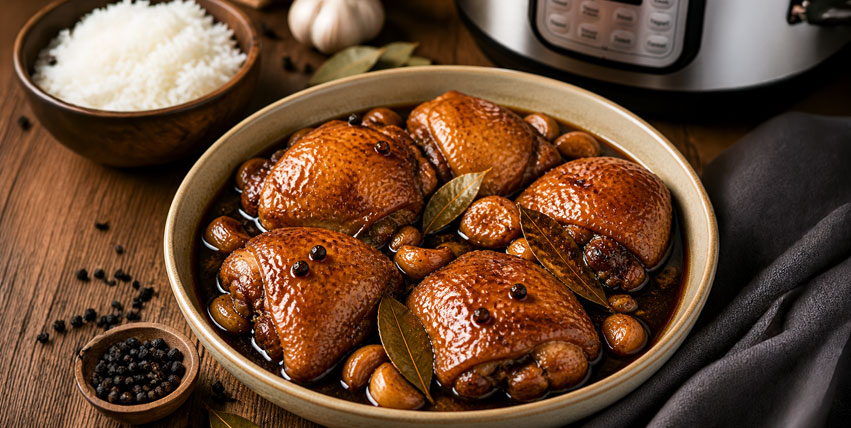
{{< image src="images/Chicken-Adobo.jpg" caption="Chicken Adobo - Filipino comfort food."
  alt="A bowl of Chicken Adobo" height="500" width="800" position="center"
  command="fit" option="q90" webp="true" zoomable="true" >}}
Gallery
Grid of images from a folder. Lightbox-enabled by default. Point dir at any subfolder under assets/, static/, or your page bundle.


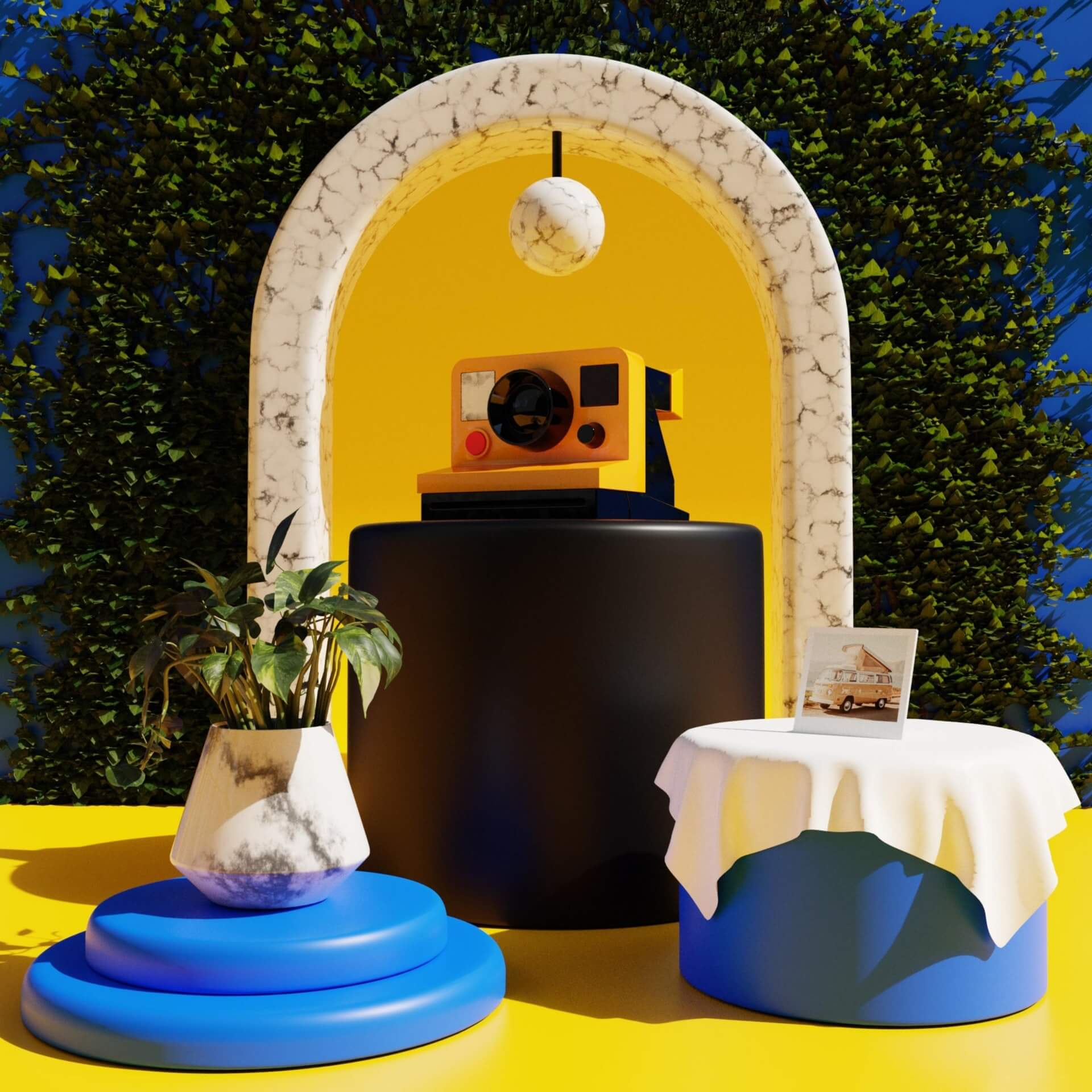



{{< gallery dir="images/gallery" height="400" width="400"
  webp="true" command="Fit" option="q80" zoomable="true" >}}
Video
Native HTML5 video. Use it for self-hosted MP4s or any direct video URL - the kind of thing you don’t want to round-trip through YouTube.
{{< video src="https://www.w3schools.com/html/mov_bbb.mp4" width="100%" height="auto"
  autoplay="false" loop="false" muted="false" controls="true" class="rounded-lg" >}}
Youtube
A privacy-respecting wrapper around Hugo’s built-in YouTube shortcode. Renders a 16:9 responsive iframe via youtube-nocookie.com when privacy mode is on.
{{< youtube 0RKpf3rK57I >}}
Youtube_time
Same idea as youtube, but lets you set start and end timestamps in seconds. Useful when a song or sermon you’re linking to has the bit you actually care about buried halfway in.
{{< youtube_time id="3Jm6KrKToV0" start="4659" end="5100" >}}
Spotify_iframe_track
Modern Spotify track embed - rounded corners, the official ?utm_source=generator iframe, and lazy loading. Just pass the track ID.
{{< spotify_iframe_track 5ikuIeKWiuCKMxvu5gloyl >}}
Spotify_iframe_artist
Same idea, but for artist pages.
{{< spotify_iframe_artist 12t16fNXKGzNRO5p81Xvyo >}}
Diagrams
Mermaid (Via Fenced Code Block)
Mermaid diagrams render automatically from any ```mermaid code block - no shortcode tags required, just the language hint.
flowchart LR
    A[Markdown post] --> B{Hugo build}
    B --> C[HTML + assets]
    C --> D[Cloudflare Pages]
    D --> E((Live site))
```mermaid
flowchart LR
    A[Markdown post] --> B{Hugo build}
    B --> C[HTML + assets]
    C --> D[Cloudflare Pages]
    D --> E((Live site))
```
That’s the full kit this site ships. If a module update adds something new, this page is where it should land - same live demo + copyable markup pattern.
What I Actually Changed
Honest list, in roughly the order I did them:
Site identity. Logo, favicon, meta defaults, OG image. Five minutes if you have the assets ready. The light/dark logo split (logo.png and logo-darkmode.png) is a small touch that makes the site feel less like a template.
Colors. Two values in the @theme block - primary and an accent - and the whole site moves with you. The default palette is fine; it’s just not mine.
Typography. I prefer slightly tighter line-heights than the defaults and a different display font. Twenty lines of CSS, done.
Removed pages I didn’t need. The default install ships with a Pricing page and an Elements page. Lovely, not useful for a personal blog. Deleting them is just removing files from content/english/ and the menu config.
Reworked the homepage. This was the biggest change. HugoPlate’s default homepage is geared toward a SaaS-ish layout (hero, features, pricing). I rebuilt it to be more “personal site” - short intro, latest posts, recent things I’ve made. That’s a layout-file edit, not a config tweak.
Related posts. The default related-posts indexing leans on tags and date. I tweaked it (you can see this in the [related] block in hugo.toml) so posts with empty tag fields still surface relevant siblings.
Renamed the theme folder. I forked HugoPlate into the repo as a real folder (not a submodule) and renamed it to match the project. This is one of those moves you either love or regret - see the next section.
The Rough Edges
I’d be lying if I said this was all smooth.
Theme name case-sensitivity. I mentioned this in the setup post. theme = 'HugoPlate' in hugo.toml will break your site in production. The folder is hugoplate. Lowercase, every time.
Submodule vs. fork. The README tells you to use git submodule add to install the theme. That’s fine if you never want to touch the theme code. The moment you start customizing layouts (and you will), submodules become friction. You commit every change in the theme’s repo. Then you bump it in your project. I eventually pulled the theme into my repo as a regular folder. The upgrade story gets harder; the day-to-day gets easier. Pick your trade.
Search needs an index file. HugoPlate’s search is great, but it’s powered by a JSON index that Hugo generates at build time. If your search page is suddenly empty, regenerate the site. A stale public/ folder is usually the cause.
Image shortcode quirks. The image shortcode is powerful but has a lot of parameters (webp, command, option, position, etc.). I forget the order constantly - which is why the live example above exists.
Tailwind v4 migration. If you start from an older HugoPlate version, expect the CSS variables to live in a different place than the article says. Old tutorials will lie to you. v4 moved configuration into CSS. Most “how to change colors in HugoPlate” posts online are still showing the v3 way.
Cloudflare Pages and Node version. HugoPlate uses Node for its asset pipeline. When Cloudflare’s default Node version drifted, builds started failing for no obvious reason. Pin NODE_VERSION as an environment variable in your Pages project. (Same lesson as pinning HUGO_VERSION.)
Who I’d Point at HugoPlate
I’d send a friend who already knows Markdown, doesn’t mind editing TOML, and wants a personal site, blog, portfolio, or small docs site. If they know any Tailwind at all, they’ll feel at home in about an hour.
I’d steer a non-technical team away from it. HugoPlate is content-via-Markdown, and that’s the deal - nobody on a marketing team is going to enjoy editing TOML and pushing to Git. For that job I’d pick something with a CMS layer. Or pair HugoPlate with Tina or Decap. That works, but it’s a bigger lift than it sounds.
I’d also skip it if you want a strong visual opinion out of the box. HugoPlate is deliberately clean and modern. It’s a canvas, not a statement.
What I Wish I’d Known on Day One
A few things that would have saved me time:
- Don’t delete the demo content right away. Use it as a living reference. Strip it out once you’ve published your own equivalents.
- This page is the shortcode docs for this site. When you forget a parameter, scroll up - every demo above is the working copy.
- Pin every version. Hugo, Node, Go modules. Future-you is confused enough already.
- Customize content first, code second. The default styling is fine. You’ll waste less time if you publish a few posts before you start fiddling with colors.
- Read the layout files before you fork them. HugoPlate’s templates are commented and short. Five minutes of reading saves an hour of guessing.
A Year and Change Later
I haven’t seriously considered switching. The site you’re reading right now is HugoPlate underneath - tweaked, renamed, with a custom homepage and a few re-styled bits, but unmistakably the same bones.
The thing I’d say about HugoPlate that I can’t really say about most free themes: it stays out of the way. It gives you a complete starting point and then lets you make it yours without fighting the framework. For a personal site you actually plan to write on, that’s the whole game.
If you want to try it: HugoPlate on GitHub. Pair it with the JoRap Notes setup guide if you want the full Hugo + GitHub + Cloudflare Pages flow. Total cost to be online: a domain name, if you want one. Otherwise, nothing.
A year later I still haven’t replaced it, and I’m glad. Hard to argue with that.
Share