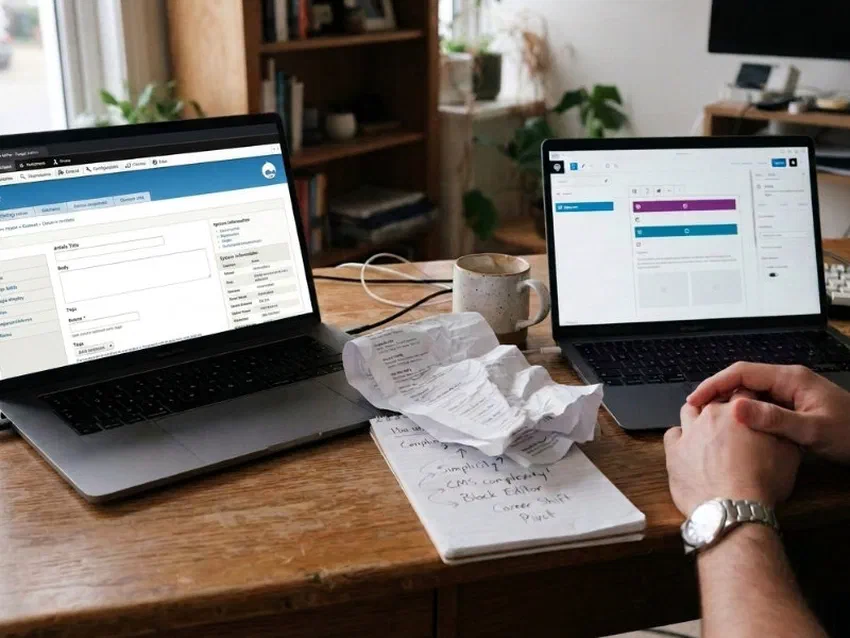
Someone is about to pick a stack for a site that has to stay editable after launch. The forum thread will not answer that. Glad I learned to ask the useful question first: what has to change after launch, and who does the changing.
The Wrong Question Is “Which Is Better”
I’ve watched this go sideways both ways. A developer ships a gorgeous static portfolio, then the client expects five staff to edit pages like WordPress and nobody learned Git. I’ve also seen someone install WordPress for a four-page brochure, then spend a year patching plugins for a site that updates twice a year.
Neither failure is about the tool being dumb. Both are stack mismatches that should have been obvious before the first commit.
I run jorap.com on Hugo. I’ve built client sites the same way. I still send people to WordPress when that’s the honest answer. Here’s the fit check I use - for my own projects and for anyone asking me which way to go.
When I Reach for a Static Site
A static site is pre-built HTML (and assets) served from a CDN. No database at request time. Content usually lives in files - markdown, JSON, whatever - and a build step turns those files into pages.
That sounds technical. Day to day it mostly means fast, cheap hosting and almost nothing to patch.
Portfolios and case studies. Show work in order, with context, without an algorithm shuffling it. Push when you add a project. Done.
A freelance designer friend asked me to “just add a login so the team can edit the portfolio.”
The site was six case studies and a contact form.
We talked for twenty minutes. We landed on a static build plus a quarterly batch update. Nobody has asked for WordPress since. Wrong tool would have meant plugin updates for a site that changes twice a year.
Brochure sites. Hours, location, services, team photos, contact form. A cafe menu with a link to the delivery app they already use. Text and images on git push.
Blogs where one person (or two) owns publishing. I write in markdown, commit, push. Live in about ninety seconds. No admin panel to log into for my own site - that’s a feature for me.
Docs and reference sites. Content that changes occasionally. Changelog pages, project wikis, sermon archives without member accounts.
Sites where the “dynamic” part lives somewhere else. A gym embeds class schedules from a booking SaaS. Donations go through a third-party form. The shell stays static; the vendor carries the moving part.
The pattern: mostly read, occasionally updated, no session state you own. If that describes the job, static is hard to beat on speed, cost, and sleep.
When I Reach for a CMS Instead
A CMS (WordPress is the one people mean nine times out of ten) keeps content in a database. It builds pages on demand or caches them. Either way, the live app is still there. You get an admin UI, user roles, plugins, the whole familiar WordPress-shaped box.
That’s overhead. It’s also the right overhead when the job needs it.
E-commerce you host. Carts, checkout, inventory, payment flows on your domain. Shopify or WooCommerce territory. Not a markdown repo with hopes.
Member login and private content. Clients, students, donors, subscribers behind authentication. Static sites don’t have sessions. A git-based CMS doesn’t fix that either.
Booking or inventory in your database. The schedule or stock level has to live in your system. It has to update in real time. You’re not buying a brochure site.
Many non-technical editors publishing often. Five staff posting daily announcements, event updates, news items - WordPress with roles and training can do that. A static repo cannot, unless someone pays for a workflow or learns Git on purpose.
The owner expects “log in and click Edit”. Some people will never touch a repo. That’s not a moral failing. It’s a requirement. Match it.
I don’t say WordPress because it’s easier to build. I say it because the publish model and the feature set already exist. Fighting that with a static stack is how you get a custom CMS nobody wanted to maintain.
The Middle Ground: Static Site, CMS on Top
Sometimes the site is static - pre-built pages, no database at the edge - but the people updating it won’t use Git.
That’s where git-based CMS tools come in: Sveltia CMS, Decap, similar. Buttons instead of terminal. Edits still commit to the repo; the build pipeline stays the same.
I use this when:
- The scope still fits static (brochure, blog, archive)
- The editor is a teammate, volunteer, or client who needs a UI
- We’re honest that someone still has to set up auth, media paths, and broken-build recovery
It’s not WordPress with fewer plugins. It’s a bridge. Useful bridge. Wrong default for a solo dev who already lives in VS Code.
Pick it when static is right but Git won’t land - not when you actually need logins and a live database.
Five Questions That Pick the Stack
Skip the Hugo-vs-WordPress threads for a minute. These five questions have picked the stack correctly on every project I’ve taken. The one time I skipped question two it cost me a rebuild.
Who updates content, and how often? Daily from five people is a CMS job. Monthly from one owner might be static with a simple path.
Anything private behind a login? Members, clients, students - name it early. Static doesn’t do this natively.
Anything that changes in a live database? Inventory, bookings, user comments, real-time feeds.
Cart or checkout on your domain? Not “we might sell stickers someday.” Actual money moving through your stack.
What happens if your developer (or you) is unavailable for a month? Publishing might stop unless one person checks email. You need a path that doesn’t depend on a single inbox.
Two or more dynamic yes answers → CMS territory (WordPress, Shopify, whatever fits the job).
One yes might be fine with an embed or external tool carrying the dynamic part.
Zero yes answers → static is probably the honest pick.
Publish Paths That Keep Static Honest
Static doesn’t mean frozen. It means the update path is deliberate.
Owner learns Git. Twenty-minute lesson: edit markdown, commit, push. A neighbor chose this, broke the build once on a typo, fixed it the same night. That’s success.
Retainer or batch updates. Email copy; someone pushes on a schedule. Priced per batch if it’s client work.
Git-based CMS. When buttons beat terminal but scope still fits static. Quoted and planned separately - not a surprise at launch.
Seasonal edits. Holiday hours, annual camp schedule, one new staff photo. Fine on retainer or a short Git lesson.
External embeds. Formspree, Calendly, booking widgets, donation links. The site stays static; the tool carries the moving part.
The mistake is forcing Hugo where WordPress was honest. Or forcing WordPress where a landing page and a Calendly link would do. Smallest stack that solves the job.
What I’d Tell a Friend
If you’re building for yourself and you already write markdown: try static first.
jorap.com and plenty of client brochure sites run on Hugo plus Cloudflare Pages. Hosting stays small. Builds stay fast. I sleep through security updates now. Shared PHP hosting used to wake me for those.
If you’re building for a team that expects an admin panel, or you need accounts and carts: don’t cosplay static. Use the tool that matches how people will actually work on Tuesday afternoon.
And if you’re hiring someone: bring the hard questions in the first call. Who publishes? Anything behind login? What breaks if they’re gone for a month? Those answers pick the stack more reliably than any “Hugo vs WordPress” thread.
Run the five questions on paper before you commit. Two yes answers on the dynamic list means stop stretching static. Pick WordPress, Shopify, or whatever matches how your people actually publish on a Tuesday afternoon. I ask those before I promise a stack now. Thankful the hard questions showed up early.
Share