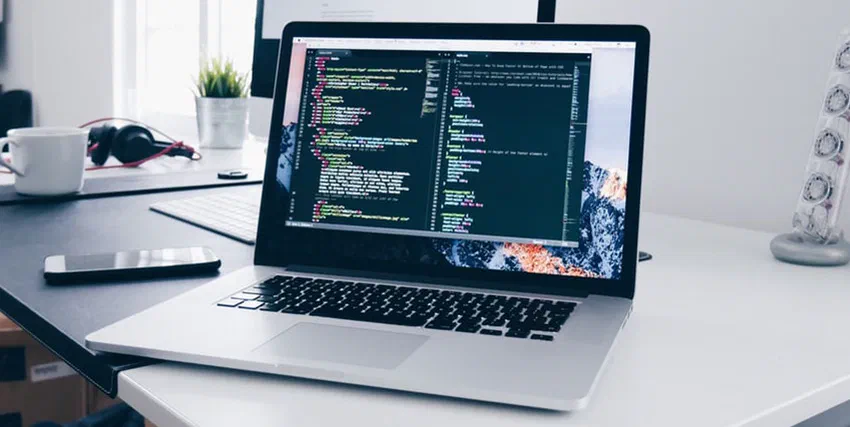
Every couple of years someone tells me they’re “going mobile-only.” A tablet, a phone, maybe a foldable. I get the appeal. Glad I still keep a laptop - that’s where I actually get work done, sitting upright, full keyboard, big screen, the real version of the software.
I’m not anti-mobile. My phone handles short, in-between moments fine. But when I need more than ten focused minutes, nothing beats a real computer at a desk or table. I don’t lend mine out. I use it all day.
Speed That Holds Up for More Than a Minute
I’m not going to find out whether my phone can run a Hugo build and a WordPress staging site at the same time. On the laptop I just open both and get on with it.
Phones have gotten ridiculously fast. Sustaining that speed is the problem. Once a phone heats up, and it heats up quickly under load, it throttles and everything slows down. A laptop with proper cooling and a bigger battery holds its performance for hours.
I learned that exporting a hundred school photos on my phone while the charger was at 12%. Ten minutes in the screen dimmed, the export stalled, and the gallery app restarted. Same job on the laptop finished while I made coffee.
Same story with RAM. My phone aggressively kills background apps the moment I switch away. My laptop just… keeps them there. All twenty of them, exactly where I left them.
Real Software, Not the “Lite” Version
I love that mobile versions of Word, Photoshop, and Premiere exist. They’re great for quick fixes. But they’re not the real thing.
Try managing a spreadsheet with twenty tabs and a few pivot tables on a phone. Or editing a long document with tracked changes. Or running hugo server and a WordPress staging build at the same time. The mobile versions either hide those features or simply don’t have them.
I once approved tracked changes on Word mobile during a commute. The client opened the file on desktop and the formatting had wandered off into the margins. I fixed it properly on the laptop that night and stopped pretending the phone version was the real app.
For anything that’s actually work, I want the full version.
Multitasking That Isn’t Really Multitasking
Modern phones technically support split-screen, but it always feels like a workaround. You squint at two tiny windows, lose context every time you tap something, and end up back in single-app mode anyway.
Last week I had the Alex Eala tracker, a WordPress staging tab, Slack, and a terminal all visible at once. On a phone that’s four apps I can’t see at the same time - on the laptop it’s Tuesday. Add a second monitor and it’s almost too much screen. That’s how I actually work on client WordPress builds - WTA tracker open in one tab, functions.php in another, Slack in a third.
A Forty-Minute Call With the Phone Propped on Books Taught Me This
This is the boring one, but it might be the most important. I learned it on a long client call with the phone propped on a stack of books. My neck locked. My shoulder climbed toward my ear. I typed replies with my thumb like I was sixteen again. Forty minutes in I was useless for the actual work after.
Now the laptop sits on a stand, external keyboard, mouse. Not ergonomic perfection - just eye level and wrists flat. I can do a two-hour WordPress build without feeling like I lost a fight with the couch.
Storage You Don’t Have to Ration
Phones fill up fast - photos, school videos, app caches, the usual. When storage hits full on the only device in your pocket, you’re deleting things in a hurry instead of choosing what to keep.
The worst month was Isaiah’s first birthday video trapped behind a “storage full” banner while the camera app refused to record. I deleted three apps I actually used to clear two gigabytes in a panic. Never again on the only device in my pocket.
On the laptop I keep Hugo builds, client exports, years of photos, and three half-finished side projects without that weekly cleanup ritual. External drive when I need more. The phone stays for photos I’d delete anyway.
An SSD Swap Bought My Old Laptop Four More Years
Most phones become slow paperweights in three to four years. The battery dies, the OS stops getting updates, and replacing parts is either expensive or impossible.
My old laptop got a second life from a cheap SSD swap. Same machine, new drive, another four years of use. Try that with a phone whose back glass is glued shut.
A desktop can run for a decade if you swap in more RAM, a bigger SSD, or a new GPU when you need it. Even laptops can be revived for the cost of one component instead of a whole new device. That goes especially for ones with user-replaceable storage and memory.
Browsing Without the Training Wheels
Mobile browsers are fine for casual reading. They’re not great for actual work. No extensions, limited dev tools, weird tab behavior, and sites that decide you want the app instead.
On desktop I have my password manager, my ad blocker, my dark-mode extension, my note-clipper. Dev tools are one keystroke away. Web apps work the way the designers intended. It’s a different category of experience.
I tried debugging a broken Hugo partial on mobile once. I squinted at view-source on a five-inch screen. No extensions. The site begged me to install the app instead. Gave up in ten minutes. Fixed it on the laptop in two with dev tools and a real scroll bar.
I Stopped Watching Movies on My Phone After Dropping It on My Face
I’ll watch a YouTube short on my phone. I won’t watch a two-hour movie on it. I tried once in bed with headphones and gave up twenty minutes in, because I kept dropping the phone on my face.
I won’t play a real game on a phone either, not when a proper screen, keyboard, and controller are a few feet away. PC gaming, emulators, a film on a Friday night: bigger screen and real audio make it feel like something I chose to do. Not something I’m putting up with.
What I Keep in the Bag
Phone for quick hits. Laptop for anything that needs a keyboard, a big screen, or more than ten focused minutes.
I’ve watched people go tablet-only and scramble when payroll or a long outline won’t fit on a phone keyboard. That’s fine if it fits their life. The real tool is still right here, and I’m thankful for that desk. I’m faster on a laptop, and I’d rather not pretend the phone is a substitute.
Share